AI in Ecommerce: 10 Ways to Save Time and Boost Efficiency
October 7, 2026
Opening a store online no longer requires a project stretching out for several months. Using current ecommerce solutions, organizations can open their professional storefront fast and yet lay a strong groundwork for their payments system, product management, customer experience, marketing, and further scaling. The thing is to select technology that minimizes unnecessary development efforts without setting limits on the capabilities of your business.
An advanced ecommerce solution consolidates different aspects of the online selling process. Rather than maintaining separate systems for their storefront, product management, order processing, payments, and marketing, organizations can use a more cohesive architecture. Technologies based on artificial intelligence can speed up such processes as creating a catalog and preparing marketing materials.
The challenge of a startup, retailer, or direct-to-consumer brand is not just about launching quickly. It is about launching with a learning and scaling storefront.
Before choosing your platform and designing your landing page, determine the purpose of your ecommerce business. Think about:
What do you want to sell on the site?
Who is your ideal buyer?
Will you be selling locally, domestically, or internationally?
How many items will you launch with?
Will you manage your stock?
What options should your customers have for payments and deliveries?
Is it a single vendor store or a marketplace?
In case of a one day launch, having a narrowed down catalog can greatly help out with that. Begin by launching with the most important items rather than waiting for everything to be done.
Gather important data in advance: product titles, prices, pictures, description, variations, stock, shipping details and return policy.
The technology that powers your ecommerce store affects how fast you can get off the ground and how easy it will be to manage later on. An ideal ecommerce technology for your business should offer more than just cool-looking designs. Your platform needs to have a combination of:
Storefront and design tools
Product and catalog management
Inventory management
Order management
Payment integrations
Shipping configurations
SEO tools
Marketing tools
Analytics
Automation
Mobile-ready interfaces
A scalable tech stack
Here’s where an all-in-one ecommerce technology solution makes life easy. Rather than having to construct each part individually, businesses can set up core ecommerce functionality in one integrated environment. The right platform should work for your current launch but stay valuable once your catalog, traffic, and orders scale up.
AI is revolutionizing the way companies develop their websites.An ecommerce website builder based on AI technologies will be able to decrease the amount of manual labor necessary to prepare an ecommerce store. Depending on the specific ecommerce solution, the following types of tasks might be accomplished using AI: catalog content generation, product information generation, marketing assets creation, and so on.
Using AI-based ecommerce platforms could be especially effective for companies that lack sufficient technical resources. Instead of wasting too much time on generating each piece of content manually, you can apply technology and concentrate on merchandising, branding, customer experience optimization, and growth.
At the same time, it is important not to forget about the human review stage. The information about the products, prices, brands, and policies should always be verified before being published.
Never sacrifice speed for a lack of branded look and feel. A storefront needs to communicate all of these things about your business in mere seconds. Tailor the following elements based on what works for your brand:
Your homepage needs to have a clear call to action. This can take various forms depending on what kind of business it is – Shop Now, View Collection, Products, Add to Cart, and more.
Navigation must remain simple and give direct access to the important categories. The customer should not have to dig too deep to find what they want to buy.
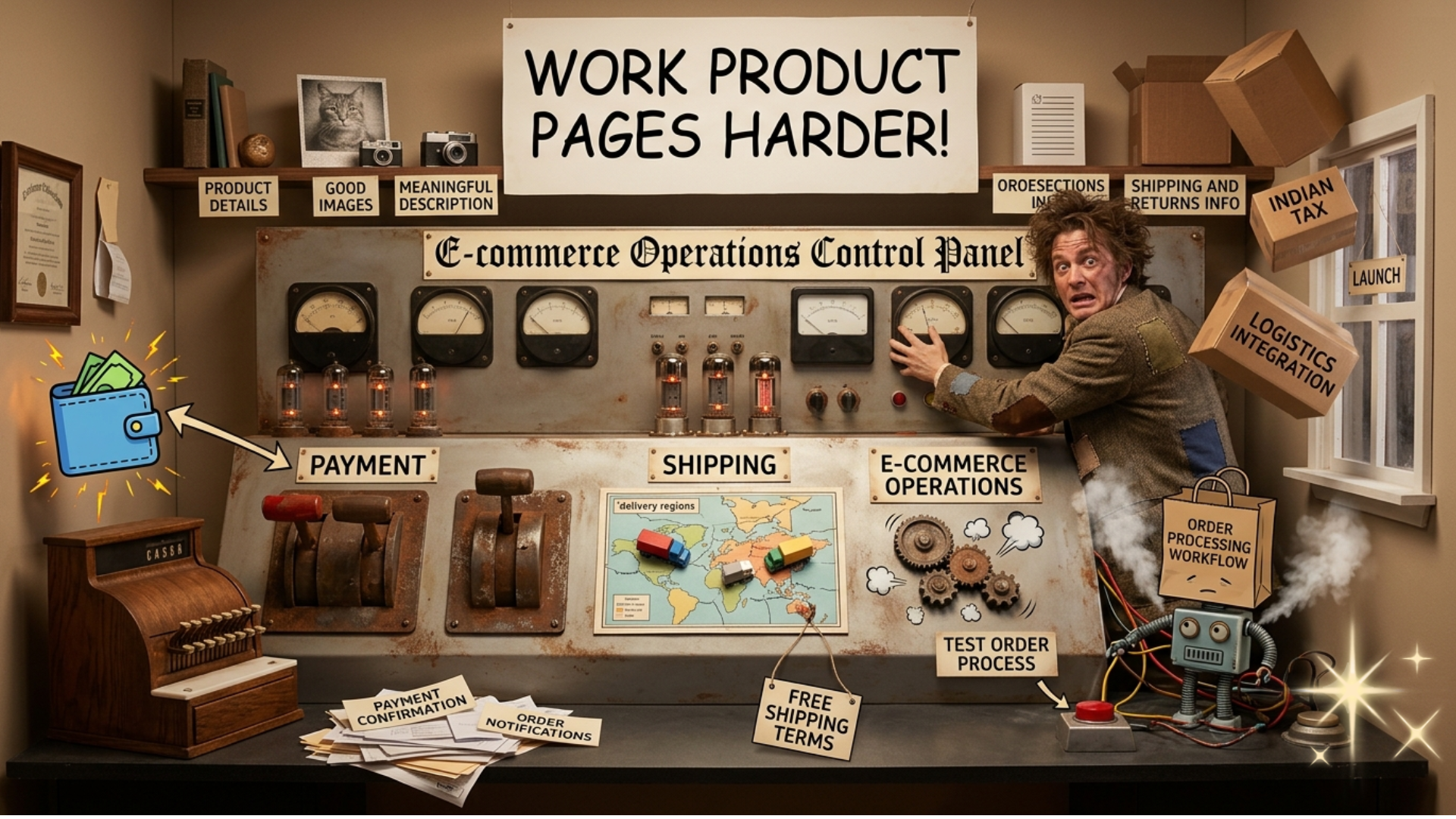
A professionally set-up shop won’t do much good if shoppers don’t know what you’re selling and how to buy it from you.A product page should have:
Product Details
Give the product name, price, specs, variations, availability and any other product-specific details.
Good Images
Use quality product photos and additional angle shots or lifestyle shots when appropriate. The image portion of product pages becomes especially important in fashion, beauty, furniture, accessories, and other visual categories.
Meaningful Description
Don’t just copy the description from the supplier. Describe the product’s features, benefits, usage, material, sizing, or whatever else matters to the shopper.
Shipping and Returns Information
Customers should be able to understand the shipping process and returns policy prior to making a purchase. An effective product page decreases the uncertainty and forms a good basis for conversion.
Connecting Payment, Shipping, and Ecommerce Operations
Attracting the customer to your online store is not enough in the world of ecommerce. Your operational system should work too. Set up the payment systems relevant to your target audience. They might differ depending on your geographic location and business type and may include credit cards, e-wallets, wire transfer, payment gateways, or COD.
The shipping configuration will also include:
delivery region
shipping costs
expected delivery time
free shipping terms
local deliveries
international shipping terms
logistics integration
For Indian businesses, the payment, tax, and shipping configurations should be adjusted in accordance with their specific situation.
Prior to launching your online store, test the order process. Check payment confirmation, shipping costs, taxation, order notifications, and order processing workflow.
A retail business needs more than a homepage and product pages.Before going live, prepare pages that the customer will expect to see:
About us
Contact us
FAQ
Privacy policy
Terms and conditions
Shipping policy
Return and refund policy
Such pages give useful information to customers and tell them everything about your store.In addition, these pages increase the completeness and credibility of the website.
An ecommerce website should function well on desktop, tablet, and mobile devices.Check:
You should never rely on the desktop version when it comes to creating a website for mobile customers. Always check customer experience on mobile devices before launch. In particular, a website for the ecommerce platform for D2C brands needs to have a high level of usability because customers may find your products via social media or other mobile-first channels.
Going live is the beginning of ecommerce—not the end. Once your store is ready, start bringing relevant visitors to it through channels that match your audience. Your initial launch activities might include:
Avoid building your entire strategy around discounts. Strong ecommerce brands can also compete through product quality, convenience, service, design, expertise, and customer experience.
If companies wish to implement ecommerce solutions for business, they require more than just website building. They require technology that will help them along the entire journey from the creation of stores up to further growth. Idiocom includes all the functionality of storefront creation, product management, inventory, orders management, marketing, analytics, and AI-powered cataloging within one integrated ecommerce solution.
Such a solution may prove helpful for companies wishing to act quickly and not treat their website as a separate project. Regardless of whether you are creating a brand, developing your retail business or an ecommerce solution for D2C brands, the technology must have room for improvement.
First day – the base; constant optimization – the next step.
There is no doubt that building an ecommerce site within a single day can be achieved if there is an adequate level of speed facilitated by proper preparation and technology. The purpose is not to launch an incomplete site but rather to use ecommerce technology in order to eliminate all those processes which add no value to the site launch process.
Everything that goes into the process of launching a store matters; this includes from selecting an AI ecommerce platform through to preparing pages for products, payment configuration, checkout testing, and marketing.Those
who want to ensure long-term success should pick an ecommerce platform which can cope with both initial and future needs.
Is it possible to create an ecommerce website in one day?
Yes, you can launch such a site quite quickly if everything you need, like product data, images, branding, prices, policies, etc., is ready in advance. Complexity of business and integrations may change the timeframe of your project implementation.
Which aspects should I consider in selecting an ecommerce platform?
There is storefront design, product management, inventory management, payments, orders management, SEO optimization, analytics, marketing, mobile-first design, security, and scalability.
Are AI ecommerce website builders appropriate for small businesses?
Yes, they are. Artificial intelligence can save time and resources on routine tasks and help you to get ready quicker. Manual check of the results is always necessary for accuracy and proper presentation of the business.
What are scalable ecommerce solutions?
Scalable ecommerce solutions are technologies that are aimed at supporting business in growing its catalog, customers base, traffic, orders, markets, etc.
Is it better to use all-in-one ecommerce platform?
Integrated platform allows you to gather all needed ecommerce features in one place and makes business management easier. But you have to take into account requirements of your company when choosing a solution.