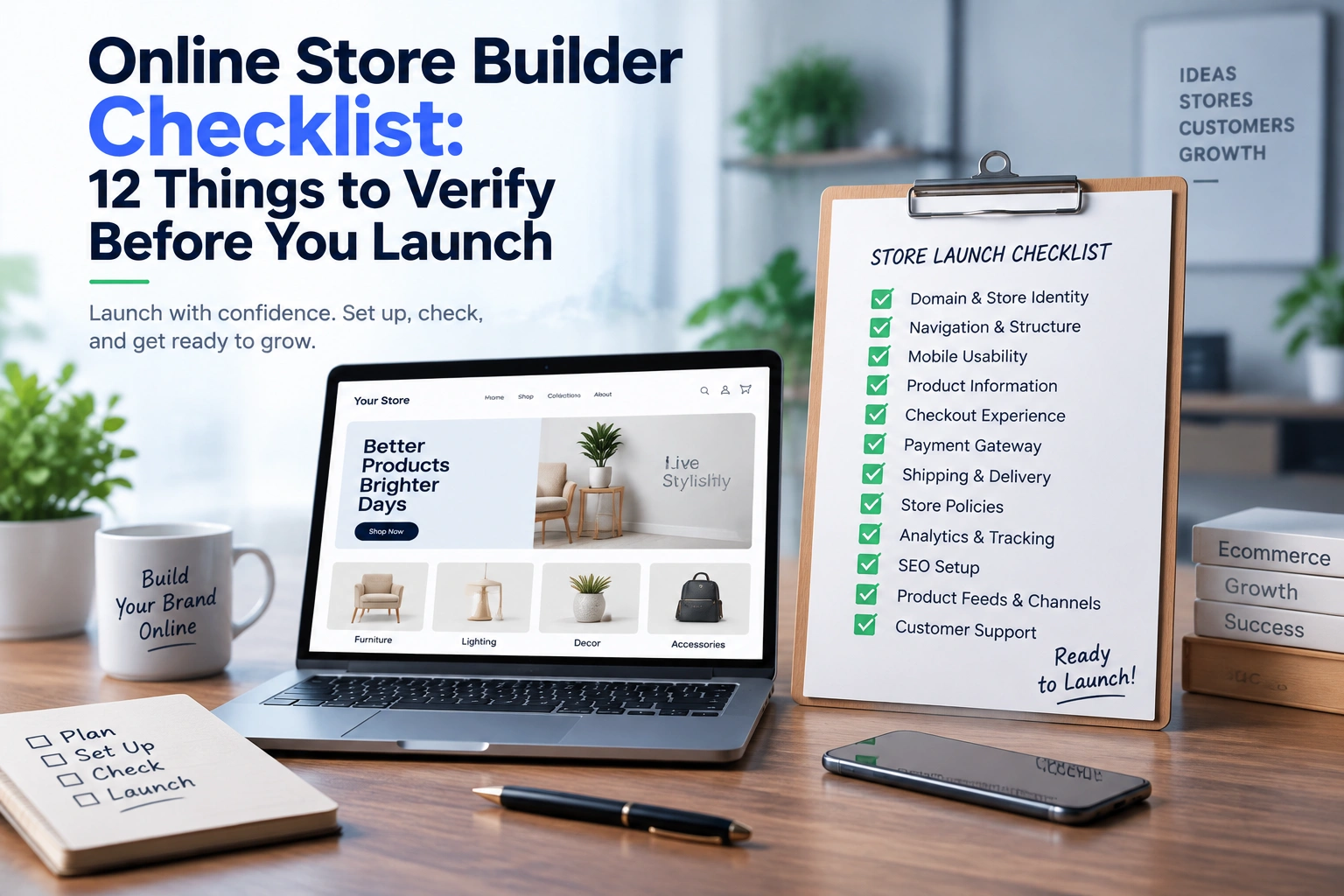
Online Store Builder Checklist: 12 Things to Verify Before You Launch
September 17, 2026
Launching an online store is not simply about adding products and clicking the publish button. A successful launch requires every customer touchpoint to work together, from the first website visit to the final payment confirmation. Choosing an online store builder gives businesses the tools to create their ecommerce presence faster, but the platform setup process determines whether the store is ready for real customers. A domain issue, unclear navigation, incomplete product information or a broken checkout flow can directly affect sales from day one.
A reliable pre-launch process helps merchants identify technical gaps, improve customer experience and create a stronger foundation for growth. Whether you are using an ecommerce website builder, a no-code ecommerce website builder or another commerce solution, this checklist covers the essential areas to review before making your store publicly available.
Your domain is the digital address of your brand. Before launching, confirm that your custom domain is correctly connected, secured with HTTPS and displaying consistently across all pages.
A professional domain builds trust and reduces confusion compared to temporary platform URLs. Check:
Many merchants focus heavily on design while overlooking domain configuration. However, even a visually complete store can lose credibility if customers see security warnings, incorrect redirects or inconsistent branding.
A good online store builder should make domain connection simple while allowing merchants to maintain ownership of their brand identity.
Navigation is the customer’s roadmap. Before launch, review whether visitors can quickly understand what you sell and how to find products.
A scalable navigation structure should include:
A common mistake among new merchants is designing navigation based on internal product names rather than customer behaviour. Customers think in terms of needs, categories and solutions, not warehouse structures.
For example, a fashion store may organize products by “Men,” “Women,” “Accessories” and “Collections” rather than technical inventory categories.
The best ecommerce website builder platforms allow merchants to adjust navigation as their catalog grows without rebuilding the storefront.
Mobile shopping is no longer an optional experience. A store that works perfectly on desktop but performs poorly on smartphones can lose a significant portion of potential customers.
Google recommends measuring user experience through Core Web Vitals, including Largest Contentful Paint (LCP), Interaction to Next Paint (INP) and Cumulative Layout Shift (CLS). These metrics evaluate loading performance, responsiveness and visual stability.
Before launch, test:
The practical question is simple: can a customer discover a product, add it to cart and complete payment comfortably using only a smartphone?
A strong no-code ecommerce website builder should provide responsive templates, but merchants still need to test real customer journeys.
Product pages are where customer decisions happen. Before launch, every product should have complete and accurate information.
Review:
Incomplete product data creates uncertainty. Customers cannot purchase confidently if they do not understand size, materials, features or delivery expectations.
Product data quality also affects external discovery channels. Google Merchant Center requires accurate product information such as titles, descriptions, identifiers, images and availability because incorrect or missing information can create disapprovals or visibility issues.
A professional store is not only visually attractive; it communicates enough information for customers to make buying decisions.
Checkout is the final stage where interest becomes revenue. A small problem here can cancel the value created throughout the customer journey.
Complete multiple test orders and verify:
Baymard Institute’s research tracks average ecommerce cart abandonment at around 70%, highlighting how many customers leave before completing purchases. Checkout friction, unnecessary steps and usability issues are among the factors that contribute to abandonment.
Before launch, remove unnecessary barriers. Avoid forcing customers through complicated steps when simpler alternatives are available.
Payment problems damage trust immediately. Every payment option should be tested before the store goes live.
Verify:
Consider the customer’s perspective. A buyer does not know whether a failed payment happened because of the bank, gateway or website. They only experience a failed purchase.
A reliable ecommerce platform should provide stable payment integrations while giving merchants visibility into transaction status.
Shipping expectations influence purchase decisions. Before launch, make sure delivery information is clear and accurately calculated.
Check:
A frequent launch mistake is configuring shipping only after receiving the first orders. This can create unexpected costs, customer complaints and operational delays.
Shipping information should appear clearly on product pages, checkout pages and policy sections.
Trust is built through transparency. Every ecommerce store should include important legal and customer support information before launch.
Essential pages include:
These pages answer customer concerns before they become objections.
A professional online store builder should provide the flexibility to create and manage these pages without requiring technical development.
Launching without analytics means operating without visibility.
Before publishing, configure:
Analytics help answer important questions:
Data should guide improvements after launch instead of relying only on assumptions.
SEO should not begin after launch. Search engines need clear signals from the beginning.
Review:
A technically clean foundation helps search engines understand your store structure.
Product pages should also contain unique descriptions rather than copied manufacturer content. Original information improves user experience and creates stronger opportunities for organic visibility.
Modern ecommerce growth often depends on multiple channels beyond the website.
Before launch, verify readiness for:
Product feeds require accuracy. Google states that incorrect product information, missing attributes or conflicts between website data and submitted feeds can affect product eligibility and visibility.
A connected store allows merchants to reach customers across different platforms while managing products from a central system.
A launch is the beginning of ecommerce operations, not the end of setup.
Prepare:
The first weeks after launch provide valuable customer behaviour insights. Monitor search queries, abandoned carts, support requests and conversion data to identify improvement opportunities.
A successful store improves continuously based on real customer interactions.
Before making your ecommerce store public, confirm:
✓ Domain and security are working
✓ Navigation is clear
✓ Mobile experience is tested
✓ Products contain complete information
✓ Checkout works smoothly
✓ Payments process correctly
✓ Shipping rules are accurate
✓ Policies are published
✓ Analytics are connected
✓ SEO settings are complete
✓ Product feeds are ready
✓ Customer support is prepared
A website launch is only successful when technology, customer experience and business operations work together. The right ecommerce website builder or no code website builder can simplify the creation process, but careful preparation determines whether the store is ready to convert visitors into customers.
A strong pre-launch checklist transforms a basic website launch into a reliable ecommerce foundation built for long-term growth.


Shipping: the unsung hero of the e-commerce world. It’s the magic that transforms a click into a delightful del...

In the digital shopping era, an image can indeed generate countless clicks. Your e-commerce site’s product imag...

Ever notice how the grocery store strategically places chips and salsa right next to the dip? That’s not a coin...