Create Product Content & Images with AI
Create complete product listings and visuals from just a product name and image.
Turn a Simple Product Image into a Ready-to-Publish Listing
Idiocom AI helps merchants turn a product name and a simple product image into a complete product listing. Instead of filling every product field manually, AI can generate the content and supporting product images automatically so you can get products ready for your store much faster.
How It Works
1. Start with Add Product
From the Merchant Dashboard, go to Products → Add Product and choose Generate with AI.
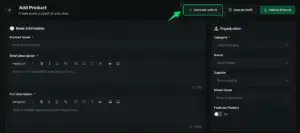
2. Add Your Product Information
Enter the product name and upload a simple product image. The image can be the basic product photo you already have.
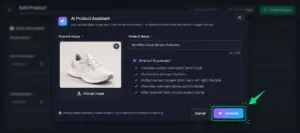
3. Let Idiocom AI Do the Work
Click Generate and let AI process the product. It can analyze the image and automatically prepare the required product information and content.
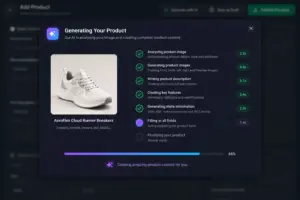
4. Review and Publish
Once generation is complete, the product form is automatically populated with the available content and details. Review the information, make any changes if needed and click Publish Product to make it live.
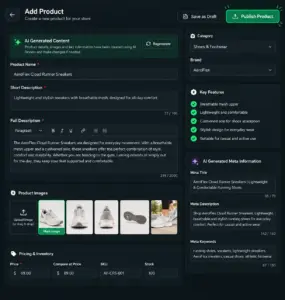
Why Use AI?
Creating products manually can take significant time when every listing needs descriptions, specifications, highlights and SEO information. Idiocom AI reduces that repetitive work, helping merchants prepare product listings faster while keeping the final content under their control.
Quick Steps
- 1 Products → Add Product
- 2 Select Generate with AI
- 3 Add product name & image
- 4 Click Generate
- 5 Review the AI-generated details
- 6 Click Publish Product






