Track Customer Purchase Activity
Understand customer intent, recover missed sales and engage shoppers at the right time.
Monitor what customers do before completing a purchase. The Purchase Activity section brings incomplete carts, incomplete checkouts and wish-to-purchase activity into one place so you can understand customer intent and follow up when it matters.
Monitor Customer Intent
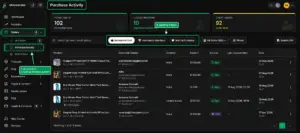
From the Merchant Dashboard, go to Orders → Purchase Activity. Here you can switch between Incomplete Cart, Incomplete Checkout and Wish to Purchase to see which products customers are interested in but have not purchased yet.
View & Filter Customers
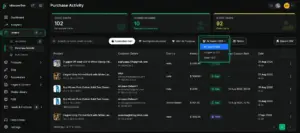
Use All Users to view registered and guest customers or select a specific user group. You can also use Filters to narrow down the activity and quickly find relevant customers or purchase opportunities.
Send Offers to Interested Customers
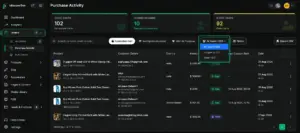
When a customer has shown interest but has not completed a purchase, you can take action directly from the activity list. Open the three-dot menu for the customer and use Send Coupon to share a targeted offer.
Why It Matters
Purchase Activity helps merchants identify missed purchase opportunities instead of letting interested customers disappear. By understanding what customers added, considered or saved, you can follow up with relevant offers and encourage them to complete their purchase.
Quick Steps
- 1 Go to Orders
- 2 Open Purchase Activity
- 3 Check incomplete carts, checkouts or wish-to-purchase
- 4 Filter customers when needed
- 5 Open the customer action menu
- 6 Send a coupon offer when appropriate






