Use & Manage AI Credits
Keep track of your AI usage, purchase additional credits and manage your Idiocom plan and services from one place.
AI Credits help you use Idiocom’s AI-powered features for tasks such as product content, translations and image generation. From Settings → Subscription, you can check your available credits, review your plan, purchase additional credits and keep track of your subscription activity.
Manage Your Plan & AI Credits
From the Merchant Dashboard, go to Settings → Subscription. Here you can see your current plan, available AI credits and subscription period at a glance.
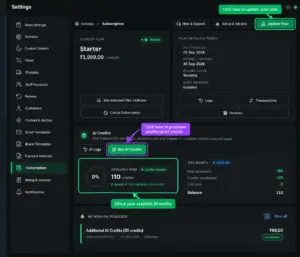
Review Your Subscription History
Use Previous Logs to review your subscription activity, including the plan, subscription period, action type and relevant details. This makes it easier to keep track of your previous plan activity.
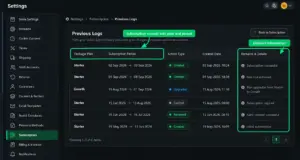
Check Transactions & Invoices
The Transactions section lets you review payments made through your account. You can check transaction details, payment status and payment references. Invoices are also available from the subscription area for your records.
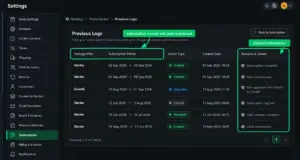
Request Additional Credits & Services
If your included AI credits are not enough, use Buy AI Credits to purchase additional credits. You can also use Setup & Service to request additional services such as product listing, SEO management, content, advertising setup and other available services.
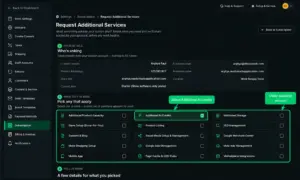
Quick Steps
- 1 Go to Settings → Subscription.
- 2 Check your current plan and available AI Credits.
- 3 Click Buy AI Credits when you need additional credits.
- 4 Use Update Plan to change your subscription.
- 5 Open Previous Logs to review subscription history.
- 6 Open Transactions to check payments and invoices.
- 7 Use Setup & Service to request additional services.






